






Iris Color Screen Remote


Updated Iris Remote — Orders Placed on or After September 24, 2026
All Iris Remotes ordered on or after September 24, 2026 are shipped from our factory with the updated controls and the new Current Parameters and Board Voltage page described below.
Function Button
- Press once to move to the next speed mode, from Speed Mode 1 through Speed Mode 4.
- Quickly press twice to switch the speed unit between km/h and mph.
- Quickly press three times to lock the throttle. Press the Power button to unlock it.
- Quickly press four times to turn the remote indicator light on or off.
- Quickly press five times to switch between the three interface layouts.
Power Button
- Quickly press twice to turn the skateboard’s lighting system on or off.
- Quickly press three times to open the Current Parameters and Board Voltage page.
Light-control functions require a compatible skateboard lighting system.
Speed Mode Ranges — Standard Version
- Speed Mode 1: 15–25 km/h
- Speed Mode 2: 25–35 km/h
- Speed Mode 3: 25–45 km/h
- Speed Mode 4: 25 km/h to the skateboard’s maximum speed
Actual speed may vary depending on the skateboard, wheel size, rider weight, battery level, terrain, riding conditions, and remote/ESC configuration.
The EU-Compliant version remains limited to a maximum of 25 km/h in every speed mode.
Information for Iris V1 Owners
An optional remote firmware update is available for earlier Iris Remotes.
Available to both iPhone and Android users:
- Replace the automatic lock after 15 seconds of inactivity with manual throttle locking. Quickly press the Function button three times to lock the throttle, then press the Power button to unlock it.
Available only through the Android version of the Tuya Ride app:
- Quickly press the Function button four times to turn the remote indicator light on or off.
- Updated speed ranges for Speed Modes 2–4.
Not available through a remote firmware update:
- The Current Parameters and Board Voltage page cannot be added to an Iris V1 Remote.
To request an update, install the Tuya Ride app—not the Tuya Smart app—then go to Settings → Device Information. Email a screenshot of the Device Information page and your Virtual ID to sales@omwboards.com. We will confirm when the update is ready and provide video instructions.
Specification:
| Display screen | 1.3-inch TFT display |
| Battery voltage / capacity | 3.7V / 1900mAh |
| Charging interface | Type-C |
| Charging time | 2h |
| Communication mode | 2.4 G |
| Distance of remote control | 20m (Open area) |
| Weight | 110g |
Packing List:
- Color Screen Remote Controller × 1
- Type-C Charging Cable × 1
- Standard Pure Black Lanyard × 1
Note: The Iris Color Screen Remote is compatible with all OMW electric skateboards. It can also be compatible with most electric skateboards powered by Hobbywing ESC systems. If you are unsure whether it is compatible with your eboard, feel free to contact us, and we’ll be happy to help you confirm.
An optional firmware update is available for earlier Iris Remotes.
Available to iPhone and Android users:
• Replaces the automatic lock after 15 seconds of inactivity with manual throttle locking.
• Quickly press the Function button three times to lock the throttle; press the Power button to unlock it.
Available only through the Android version of the Tuya Ride app:
• Quickly press the Function button four times to turn the remote indicator light on or off.
• Updated speed ranges for Speed Modes 2–4.
Not available through a remote firmware update:
• The Current Parameters and Board Voltage page cannot be added to an Iris V1 Remote.
To request an update, install the Tuya Ride app—not the Tuya Smart app—then go to Settings → Device Information. Email a screenshot of that page and your Virtual ID to sales@omwboards.com. We will confirm when the update is ready and provide video instructions.
For orders placed on or after September 24, 2026
Updated Iris Remote Controls
All Iris Remotes ordered on or after September 24, 2026 are shipped from our factory with the updated controls and the new Current Parameters and Board Voltage page.
Function Button
- Press once to move to the next speed mode, from Speed Mode 1 through Speed Mode 4.
- Quickly press twice to switch between km/h and mph.
- Quickly press three times to lock the throttle. Press the Power button to unlock it.
- Quickly press four times to turn the remote indicator light on or off.
- Quickly press five times to switch between the three interface layouts.
Power Button
- Quickly press twice to turn the skateboard’s lighting system on or off.
- Quickly press three times to open the Current Parameters and Board Voltage page.
Light control requires a compatible skateboard lighting system.
Speed Modes — Standard Version
- Mode 1: 15–25 km/h
- Mode 2: 25–35 km/h
- Mode 3: 25–45 km/h
- Mode 4: 25 km/h to the skateboard’s maximum speed
EU-Compliant Version
All speed modes remain limited to a maximum of 25 km/h.
Actual speed varies with the skateboard, wheel size, rider weight, battery level, terrain, riding conditions, and remote/ESC configuration.
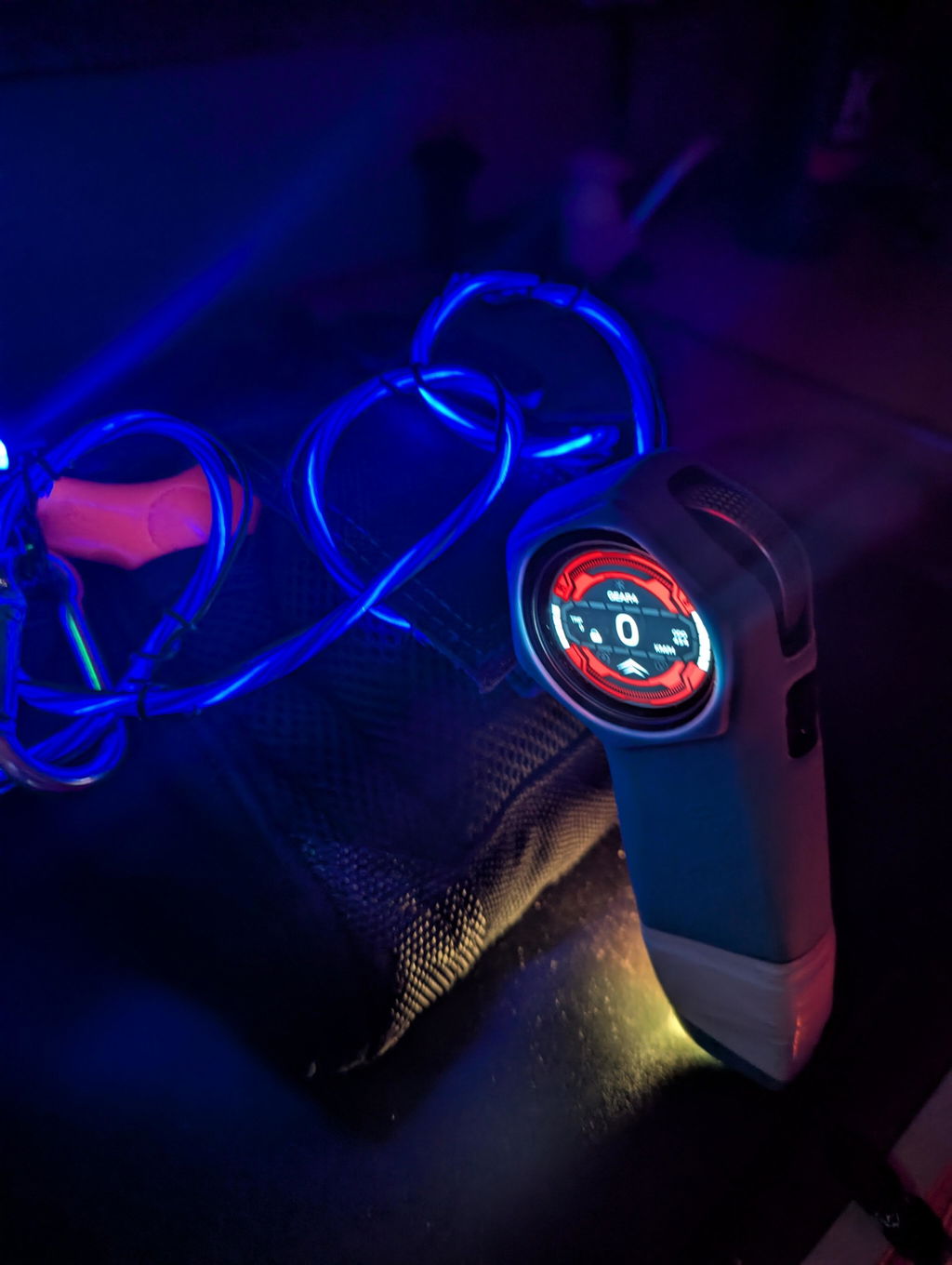
A SMARTER RIDING INTERFACE
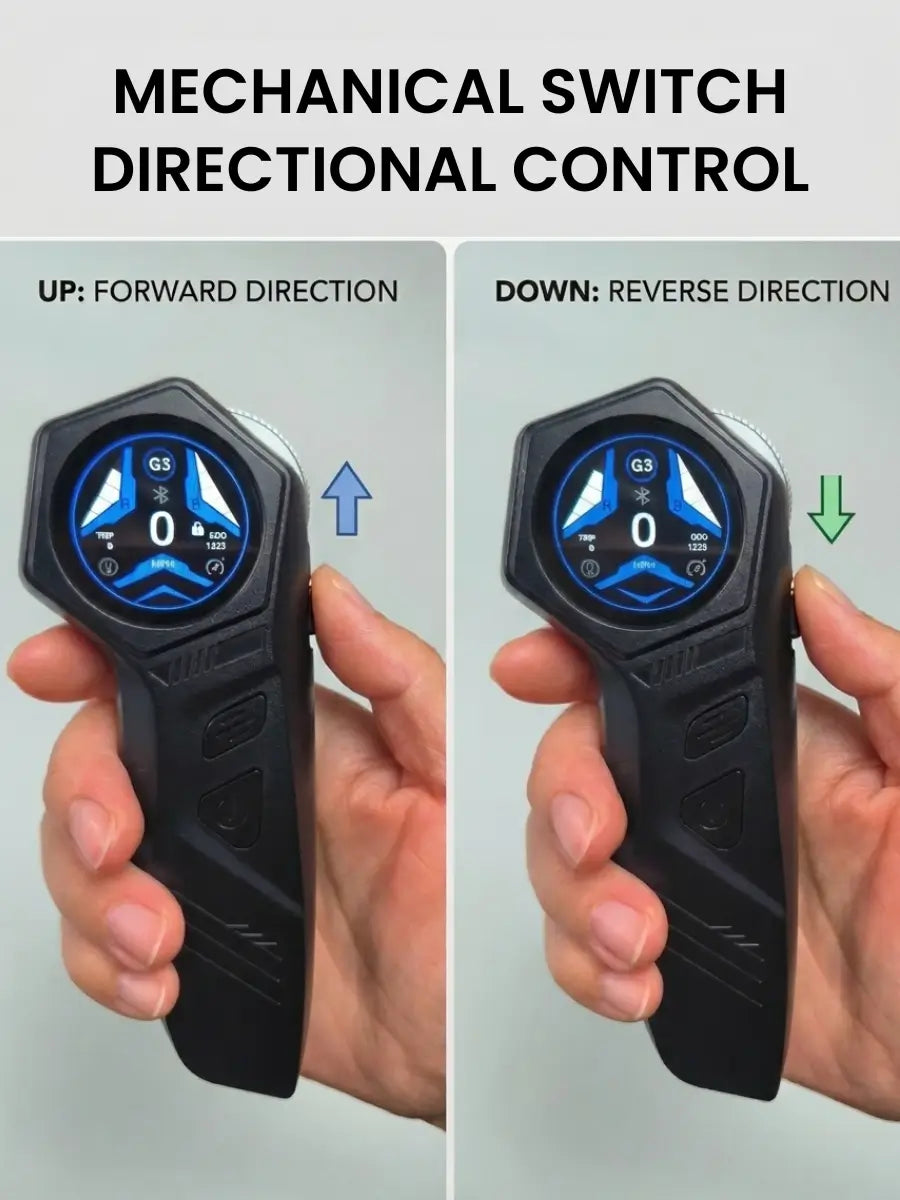
Switch between forward and reverse direction using the direction toggle.
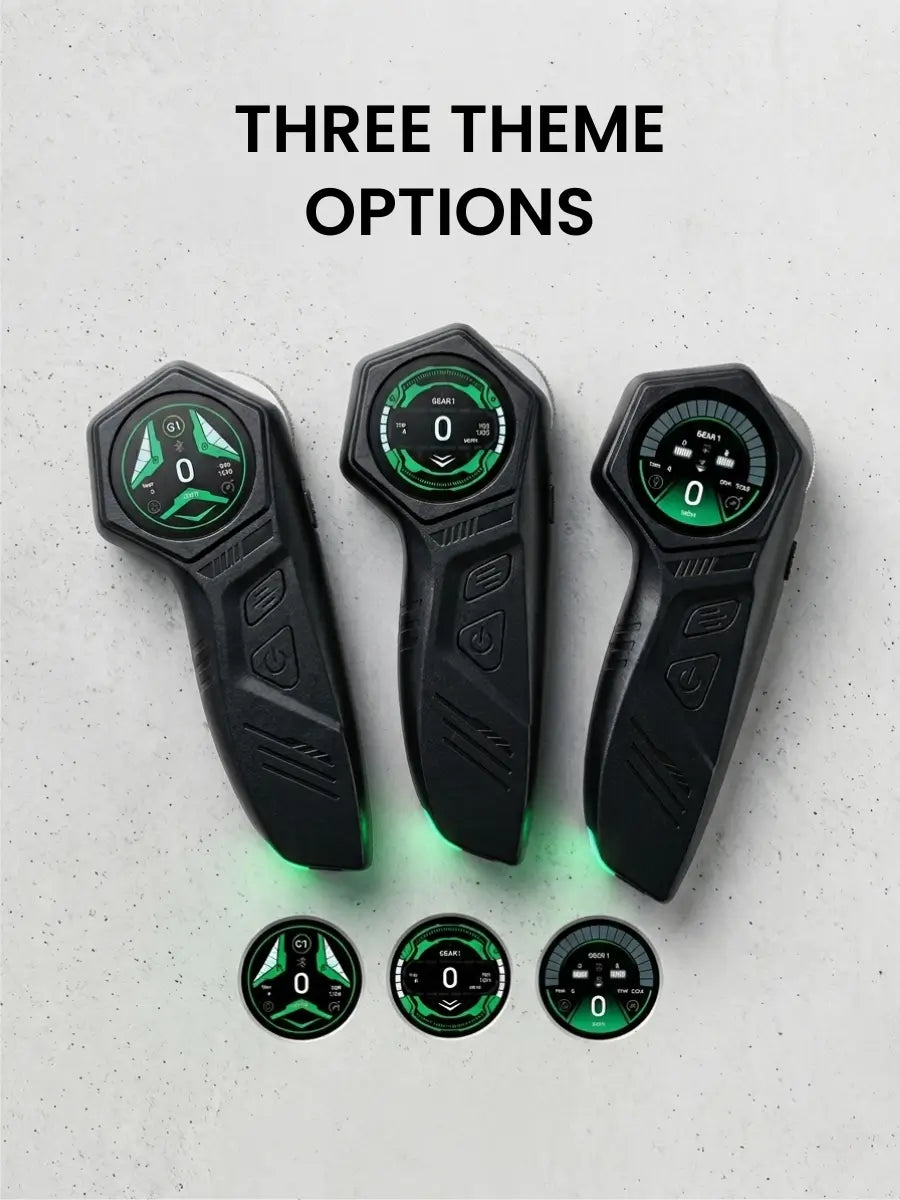
Choose from different display layouts while keeping the same ride data.
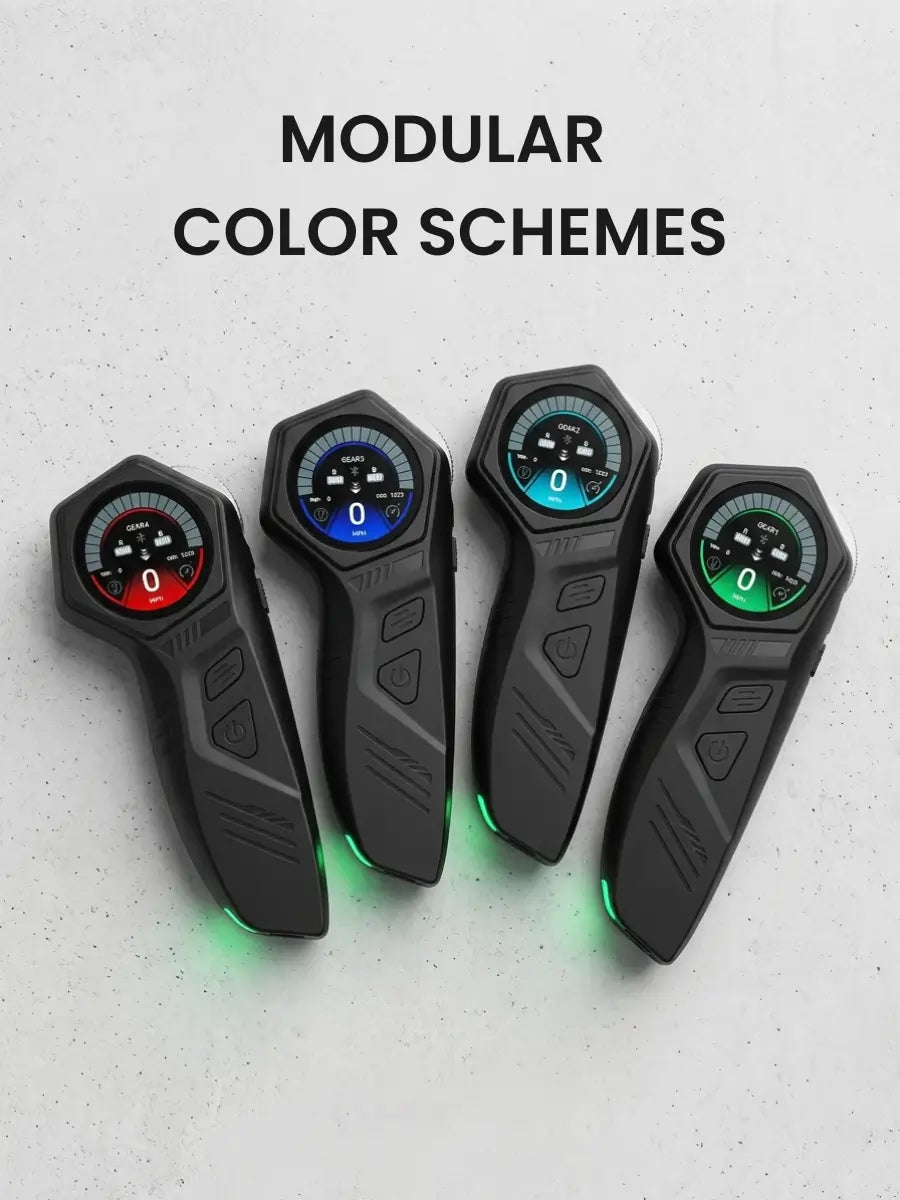
Under the same theme, each speed mode features its own distinct color display.
SAFETY AND DURABILITY DESIGN


Video Reviews
⭐️⭐️⭐️⭐️⭐️
You may also like


CUSTOMER REVIEWS
Incredible control on this remote
Well, something needs to be done about the price...
However, the is easily the best remote available for hobbywing ESCs. The scroll feel is amazing as well as the shape and size. It feels much more "premium", but it also controls so much better than the standard remote or even the Linnpower/Acedeck one. Also, the light at the bottom is actually very handy and bright.
I do wish there were different/better themes for the UI. And the reverse switch is mostly a game changer. It's extremely useful on my very heavy mountain board. I haven't seen this in any remotes other than the Exway Wave, but pulling all the way back to reverse is even better. The ideal place for the switch is closer to the front area by the screen, where your index finger would reach it. And for it to be momentary rather than a toggle. Easy to depress and back up.
OMW, make this thing standard :) I understand it would cost more to manufacture and everything has to have a markup, but a lower price or including it by default would really set apart your models.
Hi Evan,
Thank you so much for taking the time to share such a detailed review!
We’re really glad to hear that you enjoy the remote’s premium feel, scroll wheel, ergonomics, lighting, and the reverse function. It’s great to know that these features have made a noticeable difference, especially when riding a heavier mountain board.
We also really appreciate your suggestions regarding the UI themes and the reverse switch placement/design. Feedback like this is extremely valuable and helps our team continue improving future products.
We understand your thoughts on the pricing as well. We’ll definitely share your feedback with our product team and consider ways to make this remote more accessible for riders in the future.
Thanks again for your support and for helping us make OMW better!